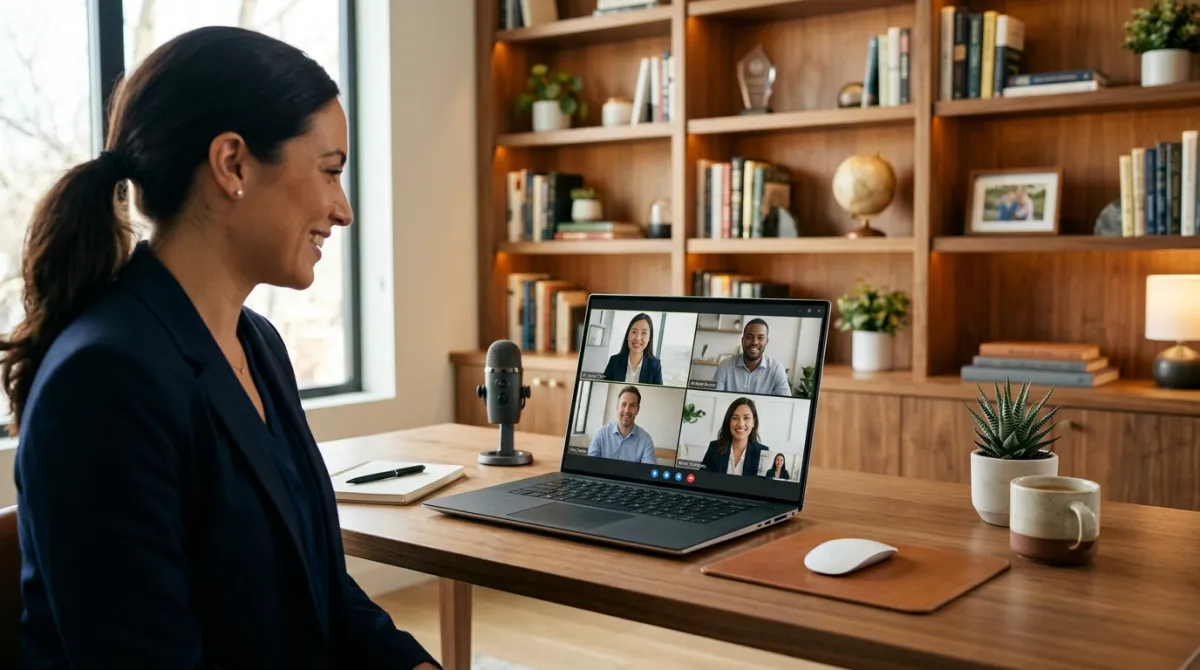
The rise of remote work has transformed the job market, making it more crucial than ever to master the art of remote job interviews. While the fundamentals of interview preparation remain the same, remote interviews require additional considerations. This guide will help you prepare effectively and make a positive impression during your remote job interview.
1. Understand the Technology
A. Test Your Equipment
Before the interview, ensure that your computer, camera, microphone, and internet connection are all functioning properly. Run a few test calls with friends or family to confirm that everything works smoothly.
B. Familiarize Yourself with the Software
Different companies use different platforms for remote interviews (e.g., Zoom, Microsoft Teams, Skype). Download the necessary software well in advance and become familiar with its features, such as screen sharing, muting/unmuting, and using the chat function.
2. Create a Professional Environment
A. Choose a Quiet Location
Select a quiet, distraction-free environment for your interview. Inform household members of your interview schedule to minimize interruptions.
B. Ensure Good Lighting
Natural lighting is ideal, but if that’s not possible, ensure you have adequate artificial lighting. Your face should be clearly visible without harsh shadows or glaring lights.
C. Set Up a Professional Background
Your background should be tidy and professional. A plain wall or a well-organized space works best. Avoid having anything distracting or inappropriate in view.
3. Dress Appropriately
Even though the interview is remote, it’s essential to dress professionally. Choose attire that reflects the company's culture. For most corporate jobs, business casual or formal wear is appropriate. Dressing up helps set the right mindset and demonstrates respect for the interview process.
4. Prepare Your Documents
Have digital copies of your resume, cover letter, and any other relevant documents ready to share. Organize them in a folder on your desktop for easy access. Additionally, keep a notepad and pen handy for taking notes during the interview.
5. Research the Company
Understanding the company’s values, culture, and recent developments shows your interest and enthusiasm. Explore the company’s website, read recent news articles, and review their social media profiles. This knowledge will help you tailor your answers and ask insightful questions.
6. Practice Common Interview Questions
A. Behavioral Questions
Many remote interviews focus on behavioral questions to gauge your past experiences and how you handle various situations. Use the STAR method (Situation, Task, Action, Result) to structure your answers. Practice responses to questions such as:
- “Can you describe a challenging project you worked on remotely?”
- “How do you manage your time and stay productive when working from home?”
B. Technical Questions
Depending on the role, you may be asked technical questions or to complete a task during the interview. Review the job description and prepare accordingly. Brush up on any skills or knowledge specific to the position.
7. Prepare Questions for the Interviewer
Asking thoughtful questions shows your genuine interest in the role and the company. Consider asking about:
- The company’s remote work culture and policies.
- How the team communicates and collaborates remotely.
- Opportunities for professional development and growth.
8. Conduct a Mock Interview
Practice makes perfect. Conduct a mock interview with a friend or mentor to simulate the remote interview environment. This practice will help you become comfortable with the technology, refine your answers, and receive constructive feedback.
9. On the Day of the Interview
A. Check Your Setup
Ensure your computer is charged, and all necessary devices are working. Close any unnecessary applications or browser tabs to avoid distractions and improve your computer’s performance.
B. Be Punctual
Log in a few minutes before the scheduled time. This shows punctuality and gives you a buffer in case of technical difficulties.
C. Maintain Good Posture and Eye Contact
Sit up straight and position your camera at eye level. Look into the camera when speaking to create the impression of eye contact with the interviewer. This helps build a connection, even through a screen.
D. Listen Carefully and Speak Clearly
Pay close attention to the interviewer’s questions and take a moment to think before responding. Speak slowly and clearly to ensure your answers are understood.
10. Follow Up After the Interview
Send a thank-you email within 24 hours of the interview. Express your appreciation for the opportunity, reiterate your enthusiasm for the role, and highlight a key point from the conversation that reinforces your suitability for the position.
Conclusion
Preparing for a remote job interview requires a blend of traditional interview techniques and specific considerations for the virtual environment. By understanding the technology, creating a professional setup, practicing your responses, and showing genuine interest in the company, you can confidently navigate your remote job interview and make a lasting impression on your potential employer. Remember, thorough preparation is the key to success. Good luck!